

Overwhelmed by desktop clutter and endless tabs? Master digital minimalism with our 4-pillar workspace reset to double focus and cure digital fatigue.
Table of Contents
- The Silent Brain Drain: Why Your Digital Workspace Is Destroying Your Focus
- What Is Digital Minimalism?
- The 4-Pillar Digital Declutter Framework
- Comparison: Chaotic Workspace vs. Minimalist Setup
- The 30-Minute Friday Reset Routine
- Best Digital Minimalism Tools for 2026
- Frequently Asked Questions (FAQs)
- Final Takeaway: A Clean Digital Screen Equals a Clear Mind
The Silent Brain Drain: Why Your Digital Workspace Is Destroying Your Focus
Be honest: how many browser tabs do you have open right now? How many random PDFs, screenshots, and ‘Untitled Document (3)’ files are currently scattered across your computer desktop?
We spend hours organizing our physical rooms, buying aesthetic desk organizers, and lighting scented candles to build the ‘perfect working environment.’ Yet, the moment we open our laptops, we step directly into a digital landfill.
Every unorganized folder, lingering red notification badge, and open browser tab acts as visual noise. In cognitive psychology, this phenomenon is called Visual Cognitive Load. Even when you aren’t actively clicking on an unread Slack message or a desktop file, your brain is expending micro joules of processing energy just ignoring it.
In this comprehensive guide, we will break down Digital Minimalism a simple, intentional system to purge digital clutter, structure your digital workspace, and unlock unprecedented levels of daily focus.
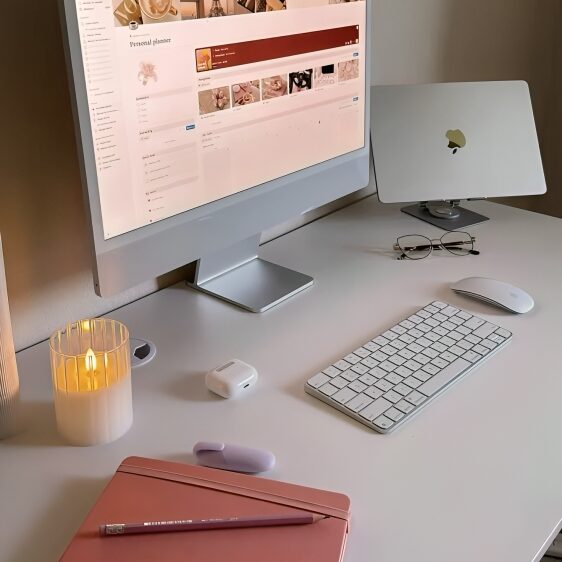
What Is Digital Minimalism?
Coined by computer science professor Cal Newport, Digital Minimalism isn’t about throwing your phone in the ocean or living like a tech monk. It is a philosophy of technology use in which you focus your online time on a small number of carefully selected activities that strongly support things you value.
Applied to your digital workspace, digital minimalism means eliminating the default chaos of modern software: redundant apps, chaotic desktop grids, noisy desktop notifications, and fragmented notes.
The 4-Pillar Digital Declutter Framework
To transform your digital environment from a source of anxiety into a fortress of deep focus, implement these four core pillars:
Pillar 1: The ‘Zero Desktop’ Rule & File Architecture
Your computer desktop is meant to be a launchpad, not a permanent storage unit. A cluttered desktop creates instant subtle panic every time you boot up your system.
- The ‘Zero Desktop’ Goal: Aim for a completely clean desktop screen. Use a minimal wallpaper that inspires calm.
- The PARA Folder Structure: Instead of creating 50 random folders, organize all your files into just 4 master directories: Projects (active tasks), Areas (ongoing responsibilities), Resources (reference material), and Archives (inactive items).
- The Inbox Dump Trick: If your desktop currently has 200 files, don’t waste 3 hours sorting them today. Create one single folder called ‘Archive [Date]’, drag everything inside it, and start fresh. Search tools will find what you need later.
Pillar 2: Taming Browser Tab Overload
Leaving 30 browser tabs open ‘so you don’t forget them’ is the modern equivalent of leaving 30 open books facedown on your kitchen floor.
- Use Session Managers: Tools like OneTab or Workona collapse 20 open tabs into a single neat list with one click, freeing up computer RAM and cognitive energy.
- The 5-Tab Limit Rule: Adopt the strict rule of never having more than 5 tabs open simultaneously during deep work sessions.
Pillar 3: Notification & App Detox
Notifications are non-consensual interruptions to your brain’s deep focus state. It takes an average of 23 minutes and 15 seconds to regain deep focus after a single interruption.
- Disable Non-Human Notifications: Turn off all news alerts, app updates, and automated email notifications. Only allow direct messages from real people.
- Batch Communication: Check Slack, Teams, and Email only at scheduled intervals (e.g., 11:00 AM and 4:00 PM) rather than keeping them open all day.
Pillar 4: Consolidating Your ‘Second Brain’
Stop scattering ideas across Apple Notes, Google Docs, sticky notes, and saved Instagram posts. Choose one primary tool (such as Notion, Obsidian, or Apple Notes) as your single source of truth for notes and projects.
Comparison: Chaotic Workspace vs. Minimalist Setup
Here is what changes when you transition from a default chaotic workspace to an intentional minimalist setup:
| Workspace Element | Chaotic Digital Setup | Minimalist Digital Setup |
| Desktop Screen | 50+ random icons, screenshots | Clean wallpaper, 0 desktop icons |
| Browser State | 30+ open tabs across windows | Max 5 tabs, structured sessions |
| Notifications | Sound chimes, red pop-ups | Focus Mode ON, scheduled checks |
| File Retrieval | Manual searching for 10 mins | Instant search via PARA system |
| Mental State | Micro-anxiety, low focus span | Calm main character focus |
The 30-Minute Friday Reset Routine
Digital decluttering isn’t a one-time event; it’s a habit. To prevent clutter from creeping back, perform this simple 30-minute maintenance check every Friday afternoon:
| The 30-Minute Weekly Digital Reset Checklist 1. Clear Downloads Folder: Delete temporary installers, move useful PDFs to your Archive, and empty your Trash. 2. Empty the Desktop: Move lingering files into your PARA folders. 3. Close All Browser Tabs: Save key links into your bookmark manager and start Monday with a clean browser. 4. Unsubscribe Mass Sweep: Find 3 marketing emails in your inbox and click ‘Unsubscribe’. 5. Clean Digital Brain: Organize loose notes into their designated master project pages. |
Best Digital Minimalism Tools for 2026
- Raycast / Alfred: Replace desktop icons by launching apps and finding files instantly with keyboard shortcuts.
- OneTab / Arc Browser: Effortlessly manage browser tab sessions and reduce RAM overhead.
- Freedom / Opal: Block distracting websites and social platforms during deep work blocks.
- Clean Shot X: Auto-hide desktop icons and auto-delete temporary screenshots.
Frequently Asked Questions (FAQs)
Q1: Isn’t organizing files a waste of productive time?
Answer: Deep organizing can become a form of productive procrastination. That is why digital minimalism advocates for automated search (like Spotlight or Raycast) and simple folder structures (like PARA) rather than intricate subfolder mazes.
Q2: How do I handle thousands of old emails and files right now?
Answer: Don’t sort them one by one. Select all emails older than 30 days and click ‘Archive’. Apply the same logic to desktop files: move them to a single ‘Archive 2026’ folder. Out of sight, fully searchable, zero stress.
Q3: How do I keep my digital workspace clean when working in a team?
Answer: Establish clear team boundaries. Communicate your notification schedules, use clear naming conventions for shared cloud drives, and keep individual working drafts in your personal local workspace.
Final Takeaway: A Clean Digital Screen Equals a Clear Mind
Your digital workspace is the direct environment where your brain spends hours every single day. Treating it with intent, clarity, and minimalism isn’t just about aesthetics it’s a fundamental investment in your cognitive health and focus.
Shut down the unnecessary tabs, wipe your desktop clean, and enjoy the effortless focus that follows.